Last week, I presented “Analyzing Utility Billing Report using AI” to a rural water conference. I also demonstrated how AI can be used for report transformation.
I’m well aware that not everyone considers AI a useful tool, especially given the need for more and more data centers to support it. However, I’ve found it to be a valuable tool for analyzing data, especially when the data isn’t well organized to begin with.
My introduction to AI
About a year ago, I was working with a customer to compare usage across months. The exported billing data spreadsheet from their billing system included four rows per account, with at least one field of data I needed on each row. This made it nearly impossible to compare two files in Excel, so I tried using Claude.ai.
With Claude, I was able to describe each row in the spreadsheet and provide it with a prompt to extract the needed data into a usable format, with one row per account.
Since then, I’ve become more comfortable with Claude and have used it in a number of situations.
My first conference example
At last week’s conference, I was fortunate to receive reports from two utilities that epitomize what I consider disorganized data.
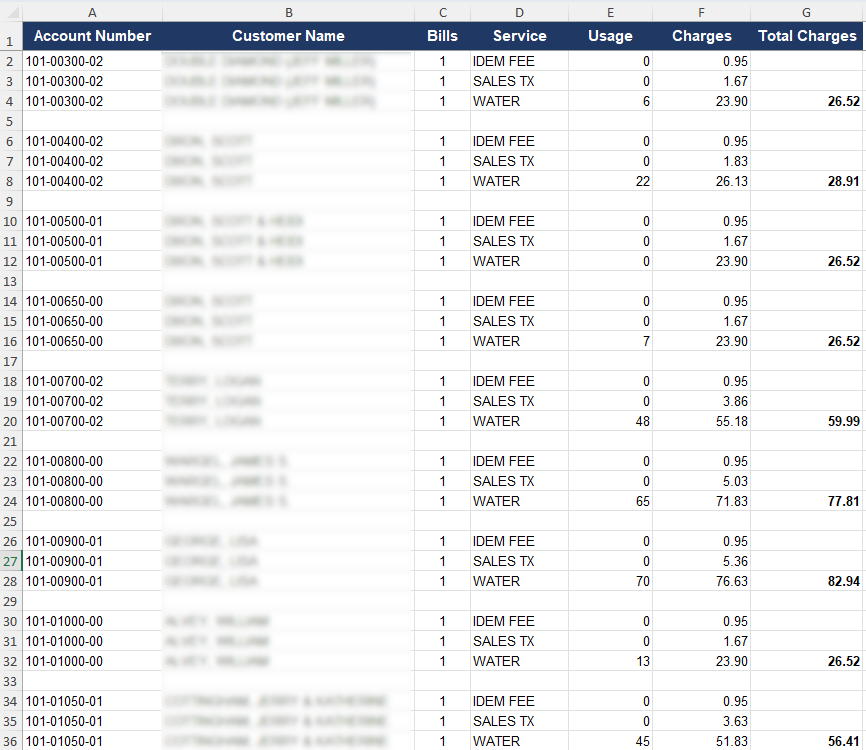
The first report was a billing report that grouped charges not by account but by service! Here are excerpts from the report for the first ten accounts for each service (clicking on any of the graphics will open a larger image in a new window):
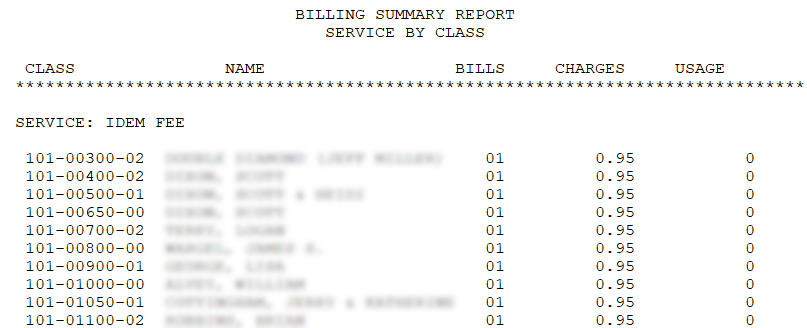
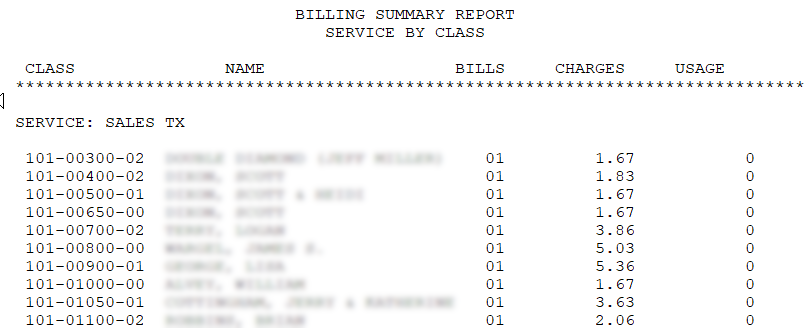
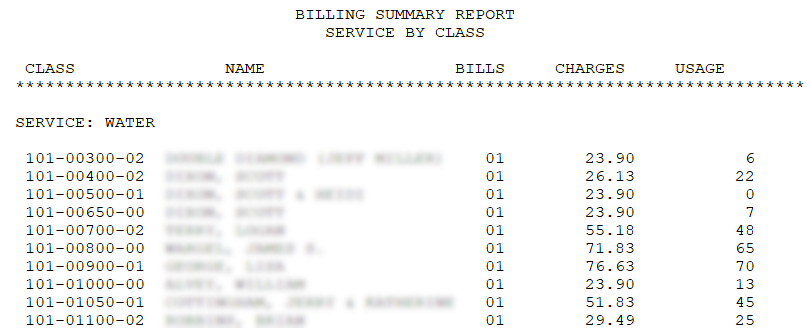
It’s not a very useful way to review a billing register, is it? After loading this report into Claude and prompting it to group the services by account, here are the first nine of those accounts:
Isn’t that a much more useful format?
My second conference example
The second example used a usage history spreadsheet that listed each month’s usage on a separate row, as shown here:
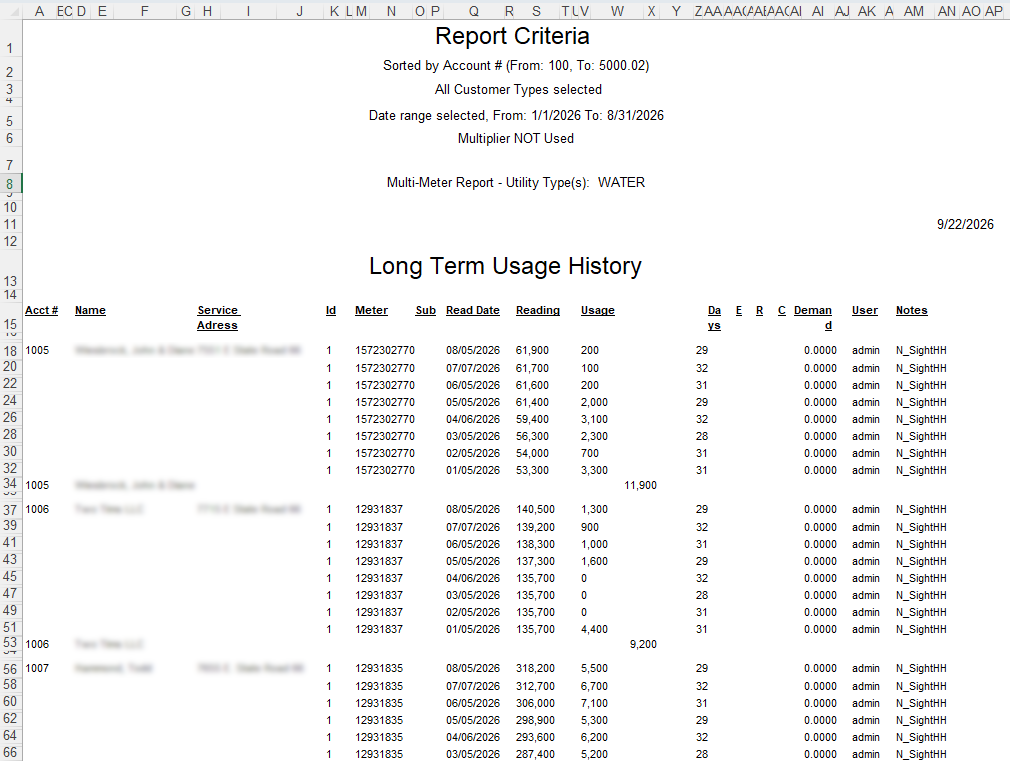
This spreadsheet illustrates several of my pet peeves with spreadsheet exports from billing systems. Obviously, having one month per row makes it difficult to average usage by account or to identify each account’s highest usage.
In a previous life, when I worked for a software company, one thing I really appreciated about our software was that the reports exported to Excel were in a very useful format. No matter how many lines per account appeared on the printed report, the Excel export created one row per account, with the multi-line data in additional columns at the end of the first line of data. When I would demo the software, I always made a point of showing this to the prospect, especially if they were a frequent Excel user.
Another thing that frustrates me is the number of columns created. This spreadsheet has 39 columns (A through AP) for 16 columns of data. The name and service address fields are each merged cells spanning four columns.
Here is how Claude was able to reformat this spreadsheet into something much more usable:
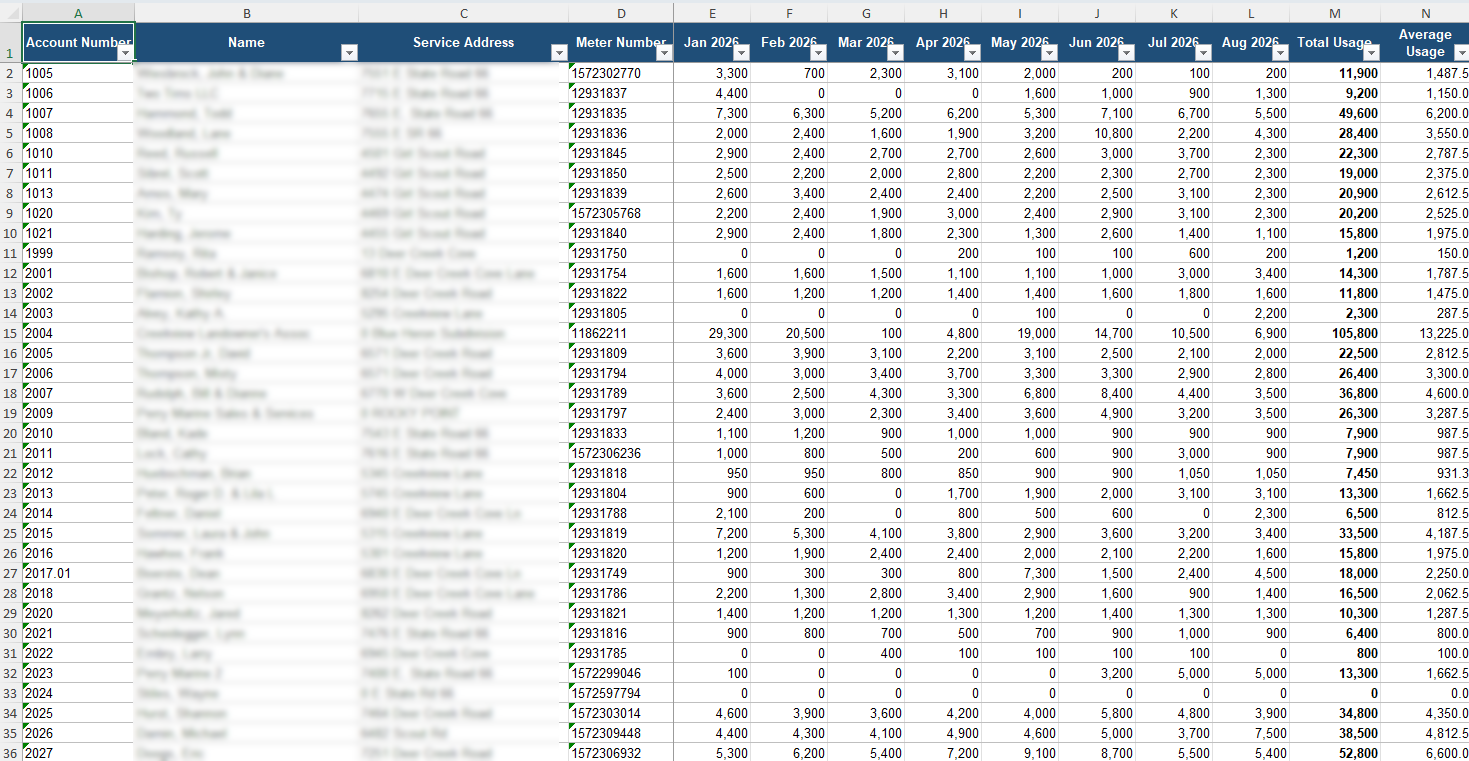
I think you can see from both of these examples that Claude was able to reformat data that was not optimally formatted into something much more useful.
Could you be using AI to improve your reports?
Do you have reports from your billing system that aren’t as useful as you would like? If you do, please give me a call at 919-673-4050 or email me at gary@utilityinformationpipeline.com to see how I could help you reformat them.

© 2026 Gary Sanders